

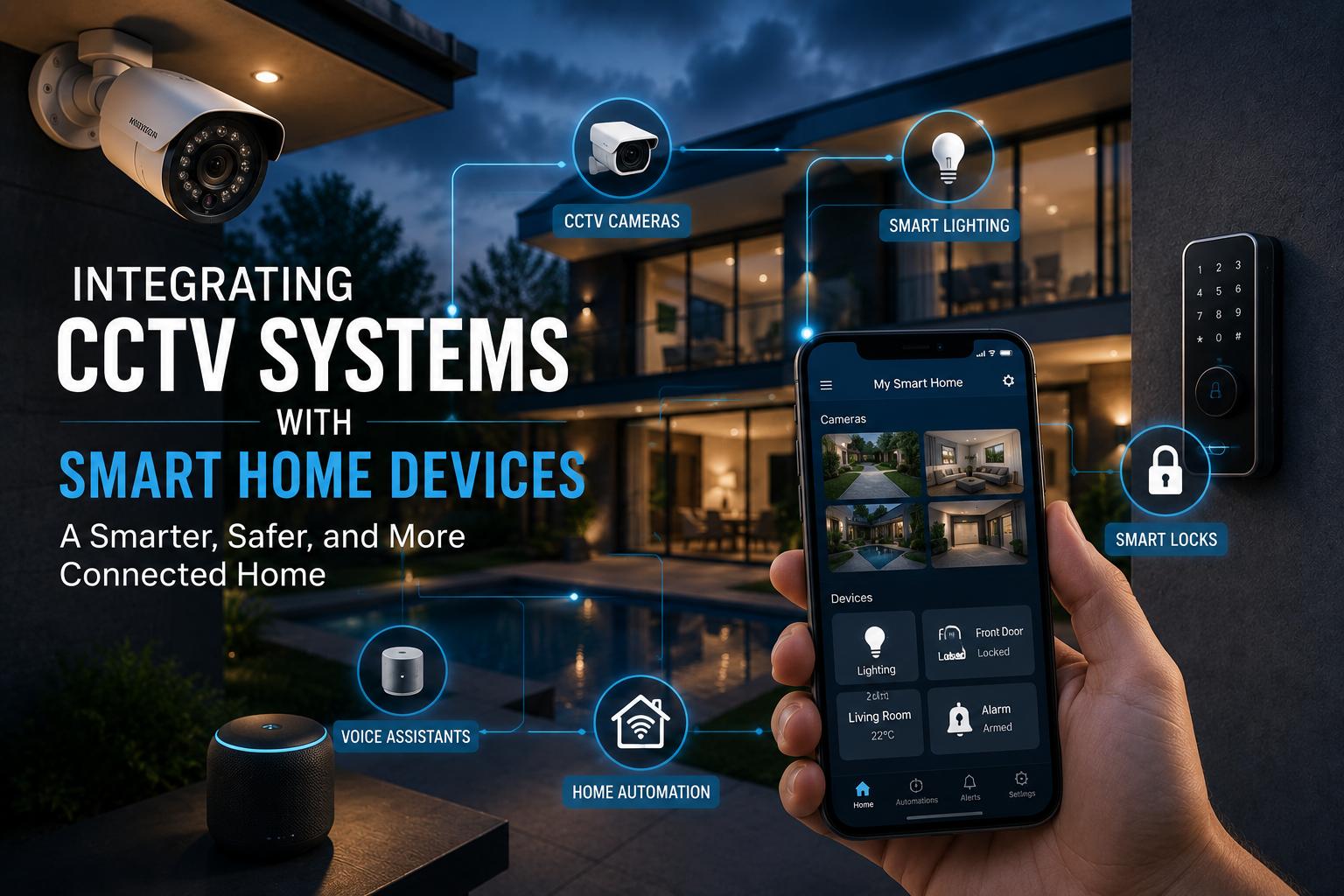
Integrating CCTV with smart home devices gives you a security solution that blends seamlessly with your modern lifestyle — no clunky, outdated systems, just unified protection that talks to smart lights, locks, and voice assistants.
Modern security setups can unify traditional CCTV with next-generation home automation, allowing you to monitor, react, and control your surroundings from anywhere in real time. When linked with smart tech, your home’s cameras are capable of instant alerts, remote playback, and even automated lighting or alarm triggers.
In this guide, you’ll discover how to integrate CCTV with your existing smart home devices, learn vital compatibility considerations, and get professional insights to avoid frustrating pitfalls.
Why CCTV Integration Matters
Home surveillance has evolved beyond static cameras. CCTV systems now serve as intelligent partners within broader smart home ecosystems. When integrated with devices like door locks, lighting controls, and voice assistants, these systems do far more than simply capture footage — they proactively help protect families by providing instant updates, remote monitoring, and automated deterrents against threats.
Imagine receiving a phone notification the moment movement is detected, then turning on lights or locking doors through a single app. That level of unified control offers both peace of mind and practical protection, discouraging unwanted visitors and supporting faster emergency responses.
Practical benefits stack up further with centralised control. Homeowners no longer juggle separate systems — one intuitive dashboard manages cameras, sensors, alarms, and more. That saves time, reduces user error, and builds confidence in staying secure even while away on holidays or at work.
Tips for Tailoring Tech to Your Space
Assessing Your Security Needs
Every home holds unique vulnerabilities, and a one-size-fits-all approach rarely delivers lasting protection. Start by walking through each area, noting entrances, windows, garages, and backyard access points. Evaluate previous break-ins nearby, pets on the property, and whether certain spaces hold higher-value assets.
Balancing Indoor and Outdoor Coverage
Cameras outside should resist the weather while maintaining discreet placement to protect family privacy. Indoors, coverage might target entryways or valuables rather than living spaces where everyday activity happens. Homeowners benefit from balancing vigilance with comfort, avoiding an atmosphere of constant observation.
Choosing the Right Tools and Resources
Integrated CCTV relies on compatible gear that speaks the same language — cameras that link to existing Wi-Fi, smart locks working with voice assistants, and a centralised app controlling the entire network.
Essential Equipment Checklist
- High-definition cameras, ideally with night vision
- Motion sensors compatible with smart ecosystems
- Smart locks and lighting controls
- Network video recorder (NVR) or cloud storage plan
- Mobile app for remote control
- Backup power supply for peace of mind
Essential Components of a Smart Home Security System
CCTV Cameras
Central to any integrated system, cameras provide the crucial eyes protecting your property. Look for models with at least 1080p resolution, infrared night vision, and wide dynamic range for tricky lighting. Varifocal lenses suit larger block layouts, while fixed-lens cameras fit smaller sites.
Dahua earns high marks in Perth thanks to robust design, reliable image clarity, and seamless smart home pairing. Local certified installers often stock Dahua with full warranty coverage — a safer route than unverified online imports.
NEW: Dahua vs. Amcrest Comparison
Camera Types
- Dome cameras: Discreet, less tamper-prone
- Bullet cameras: Greater range, visible deterrence
- Pan-Tilt-Zoom (PTZ): Flexible coverage with remote directional control
Recording and Storage Systems
Footage must live somewhere secure, whether in a local recorder or the cloud. Network video recorders (NVRs) handle digital feeds, typically managing up to 8 or 16 channels. Many smart homes connect these recorders to cloud plans for off-site backup.
Choose a recorder compatible with ONVIF standards, ensuring broader camera support down the track. Connect & Protect can advise on whether a 3TB or higher hard drive makes sense based on motion-activated versus continuous recording.
Storage Tips
- Prioritise quality hard drives designed for surveillance
- Budget for higher capacity if continuous recording is needed
- Review data privacy policies for any cloud services used
Networking Gear
Cameras and recorders rely on stable data flow. Quality switches and cabling rated for Power over Ethernet (PoE) mean fewer separate power supplies, cleaner installs, and fewer points of failure. Avoid suspiciously cheap network equipment — faults can compromise the whole security system.
Smart Home Integrations
Linking cameras with smart devices unlocks true synergy. Voice assistants like Google Home or Amazon Alexa let owners check live feeds by spoken command. Smart locks can react to camera triggers, granting or denying entry as needed. Smart lighting automates the deterrence effect with timed or triggered illumination.
When building out an ecosystem, stick with major brands for reliable app updates and local support.
CCTV Smart Home Installation: Step-by-Step
Step 1: Map Out Coverage Zones
Begin by walking through your home, sketching a simple floor plan, and marking priority areas for camera coverage. Focus on entry points, garages, and outdoor blind spots. Check that lines of sight avoid neighbours’ private spaces to respect local privacy laws.
Measure fields of view to avoid overlap while ensuring no dark patches remain unmonitored. Keep cameras positioned high enough to discourage tampering but low enough for a clear, detailed image.
Step 2: Prepare Tools and Hardware
Gather power drills, network cable crimpers, screwdrivers, and a spirit level. Pre-test every camera before mounting to confirm image quality and angle alignment. Organise cables to avoid tangling later.
Step 3: Install Cameras
Mount brackets solidly to external walls or ceiling joists, taking care to weatherproof any outdoor cabling. When threading cables, avoid tight bends and use proper conduit to protect wiring from the sun and pests.
Step 4: Connect Recording Equipment
Install the NVR somewhere safe and secure — ideally inside a locked cupboard or rack. Patch cameras into network ports, then test feeds to confirm correct channels. Back up any default passwords and update credentials immediately to strengthen cyber defences.
Step 5: Pair Smart Home Devices
Add cameras to your smart home app, verifying compatibility with assistants or routines. Link door locks, motion sensors, or lighting to the CCTV system’s triggers so the entire network responds cohesively. Test each scene automation in both daylight and nighttime conditions.
Step 6: Commission and Final Test
Check playback, live feeds, mobile notifications, and recording retention across every camera. Confirm your UPS backup covers essential items. Run a simulated break-in scenario to verify that all triggers and alerts fire correctly.
How Much Does a Smart Home Security System Cost?
| Component | Estimated Price Range |
|---|---|
| 4 x 6MP SMD camera package | $1,799 (with 3TB storage upgrade) |
| Extra camera (SMD) | $300 each |
| TiOC camera upgrade | $150 per camera |
| NVR (8-channel, mid-range) | $400 – $800 |
| Smart locks | $200 – $500 each |
| Smart lighting | $100 – $300 per area |
| UPS backup | $150 – $400 |
| Networking switches / cables | $100 – $250 |
| Professional installation | $800 – $1,500 |
Bringing It All Together: Smarter Security Starts Here
Securing your home through integrated CCTV and smart home devices puts you in control while raising safety standards to a future-ready level. Here’s a final recap of the essential takeaways:
- Integrated CCTV connects cameras with locks, lights, and sensors for truly responsive home protection.
- Environmental impacts stay low with energy-efficient gear and proper disposal practices.
- Tailored design ensures every property gets coverage in the right spots without over-monitoring.
- Look for quality components — cameras, NVRs, smart locks, secure networking gear, and UPS backups.
- DIY installs work for confident owners, but licensed professionals guarantee performance.
- Professional installation prevents headaches, data breaches, and electrical risks.
Ready to Secure What Matters? Speak to the Experts at Connect & Protect
Your home deserves a security system that works for your life, not against it. Connect & Protect stands ready to design, install, and fine-tune a CCTV smart home solution that truly fits your family’s needs.
Get in touch for personalised guidance, a transparent quote, and the confidence that only 15+ years of licensed, police-certified expertise can deliver.
Reach out to Connect & Protect today for personalised advice or a fast, obligation-free quote.
