

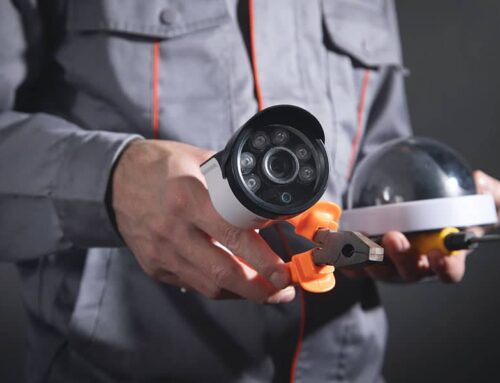
Whether protecting a quiet suburban block or monitoring a home nestled near busier urban streets, every property presents different challenges.
This guide explores what features matter most, how to weigh up brands like Dahua and Hikvision, and why professional installation still outpaces DIY efforts.
|
Understanding Your Security Camera Options
Smart Motion Detection (SMD) Cameras
Smart Motion Detection cameras use advanced AI to differentiate between people, vehicles, pets, and general movement — reducing false alerts and ensuring relevant events are captured.
Pros
- Reduced False Alarms – AI filtering helps prevent annoying alerts caused by pets, trees swaying, or passing shadows. Only actual threats prompt a notification.
- Better Storage Efficiency – Only meaningful footage is saved, which maximises storage space and extends the usable life of your system.
- Reliable for Routine Use – Perfect for standard home setups needing clear images and dependable alerts without overwhelming complexity.
Cons
- Limited Visual Deterrence – Unlike active deterrent models, these cameras don’t feature built-in lights or sirens, so intruders aren’t discouraged on approach.
- May Miss Critical Context – In lower light or fast-moving scenarios, fine detail can sometimes be lost, especially without enhanced night vision.
TiOC (Three-in-One Cameras)
TiOC stands for Three-in-One Camera, integrating full-colour recording at night, AI-driven alerts, and active deterrents like sirens and flashing lights. These are designed to stop intrusions before they happen.
Pros
- Colour at Night – Full-colour night vision provides rich detail in all conditions, making footage more useful for identification.
- Active Deterrence – With strobe lights and sirens triggered by motion, TiOC systems actively discourage unwanted visitors.
- Smart Alerts – Combines AI and push notifications for real-time, accurate warnings — fewer false alarms, more actionable alerts.
Cons
- Higher Power Requirements – Features such as sirens and coloured LEDs need stronger, consistent power — not ideal for all locations.
- Premium Price Tag – Higher functionality comes with increased costs, both for the unit and installation.
Wireless Cameras
Wireless models appeal to homeowners looking for quick installs and remote access without needing full cabling across the home.
Pros
- Flexible Installation – Great for renters or homes without existing infrastructure — install in more places without drilling walls.
- Remote Accessibility – Easily link to smartphones for live streaming and notifications, ideal for those who travel often or work long hours.
- Less Visual Intrusion – Compact builds and a lack of wires create cleaner, more aesthetic placements.
Cons
- Signal Interference – Wi-Fi strength impacts performance. Dropouts or lag can affect reliability, especially in larger or multi-storey homes.
- Battery Maintenance – Many require periodic charging or battery changes, which can become a hassle over time.
CCTV Benefits, Features & Finding the Right Provider
A home security system should offer more than just footage — it should deliver confidence. From around-the-clock protection to stylish, unobtrusive installs, modern CCTV setups bring practical advantages and peace of mind in equal measure.
Key Benefits
Around-the-Clock Protection
- Day and night coverage with infrared or colour night vision ensures no moment goes unseen.
- Motion-triggered recording captures events as they happen, not just static footage.
- Push notifications alert instantly when activity is detected, keeping you informed from anywhere.
POPULAR: How CCTV Systems are Deterring Crime in Perth
Safety That Stays Strong
- Built-in deterrents such as lights and sirens reduce the chance of break-ins before they occur.
- Footage stored on encrypted devices or cloud ensures evidence remains secure.
- Hardwired options reduce the risk of tampering, while battery backups keep systems running during outages.
Aesthetic Integration
- Sleek, low-profile designs blend seamlessly with home exteriors, avoiding bulky “industrial” looks.
- Strategic placement options allow for discreet coverage without compromising curb appeal.
- Wireless options avoid cable clutter, maintaining a clean and modern feel.
Long-Term Durability
- Weatherproof casings protect against Perth’s sun, rain, and dust — ideal for exposed outdoor use.
- High-quality lenses and sensors retain clarity over time, even in harsh conditions.
- Minimal maintenance is needed thanks to robust build standards and smart diagnostics.
What to Look For in a Provider
Experience You Can Trust
- Look for a company with more than a decade of hands-on experience and local installations.
- Licensing through ACMA and WA Police ensures legal compliance and technical credibility.
Customisation Matters
- Choose providers who tailor systems to suit property layout and family routines — not one-size-fits-all packages.
- On-site assessments help ensure camera placement avoids blind spots and meets lifestyle needs.
Product Knowledge & Support
- Ask whether the provider is a trusted dealer for major brands like Dahua — this means up-to-date product access and warranties.
- Ongoing support, remote troubleshooting, and mobile app setup guidance are crucial post-install.
Transparent Pricing
- Quality providers offer clear pricing upfront — no hidden costs or surprise fees.
- Bonus features like free upgrades to larger storage or extra cameras add significant value.
What to Consider Before Installing Home Security Cameras
Coverage Needs
Every property has its own unique risks and vulnerabilities. A compact villa in the suburbs may only need front and back coverage, while a larger home might require perimeter, garage, and street-facing views.
Consider blind spots, entry points, side access, and fences. Matching your setup to those realities ensures the system does more than simply record — it protects. A reputable provider will offer on-site assessments to understand what needs monitoring and where.
Lighting Conditions
Camera performance can change dramatically in different lighting. Some areas may be floodlit at night, while others fall into total darkness.
SMD systems offer excellent performance with basic infrared, but TiOC cameras bring full-colour clarity even in pitch black — vital for identifying intruders or vehicle details. Discuss where your cameras will be placed and whether street lighting or shadows will affect visibility.
Internet and Power Access
Many smart cameras rely on internet connectivity for alerts, cloud recording, and app control. But not all homes have consistent Wi-Fi coverage across their property. Likewise, remote locations on a property may lack easy access to power.
Before choosing a camera, confirm how it will be powered and whether your home’s connectivity is strong enough to support it. The right provider will test signal strength and offer alternatives — such as wired NVRs or hardwired cameras with battery backups — where Wi-Fi is unreliable.
Budget and Upgrade Options
Initial pricing can be misleading. Some systems look affordable upfront but lack essential features like storage or remote access. Others may require paid subscriptions for notifications or cloud backup.
Consider both the upfront investment and long-term flexibility — for example, whether it’s easy to add more cameras, upgrade lenses, or switch to TiOC technology later. Trusted installers won’t upsell but will clearly outline what’s included, what costs extra, and which features are optional.
Integration with Other Security Features
Many homeowners want their security system to connect with alarms, intercoms, or lighting controls. This is especially true for families, shift workers, or those travelling frequently.
Some systems, like Ajax alarms or Dahua’s integrated setups, support such expansion — but not all installers offer them or know how to connect the dots properly. When comparing providers, ask whether they support system integration, not just camera installation.
How to Find the Right Security Installer
Read Local Reviews — But Read Between the Lines
Start with Google Reviews and local forums, but go beyond star ratings. Look for comments that mention punctuality, honesty, follow-up support, and system reliability after install. These details show how a business operates day-to-day, not just how their marketing sounds.
Also, pay attention to how the business responds to negative reviews — or if they respond at all. A provider that replies with professionalism, offers resolutions, and shows accountability reveals more than a polished website ever could.
Ask About Licensing and Accreditation
In Western Australia, only WA Police-licensed professionals can legally install security systems. Accreditation from ACMA adds another layer of credibility, especially with systems involving data, cabling, and app integration.
Always ask to see documentation, and don’t settle for vague reassurances. At Connect & Protect, we’re proud of our WA Police and ACMA certifications — you deserve verification, not vague promises.
Compare Inclusions, Not Just Prices
Not all quotes are equal. Some exclude basic essentials like storage drives or remote app access, only to surprise customers later with “extras” that should’ve been standard. Others overpromise in brochures but underdeliver during setup.
Review each quote line by line. Check how many cameras are included, what type they are (SMD or TiOC), how much storage comes standard, and whether mobile setup or training is part of the job.
Ask for Site Inspections
A quick phone quote might seem convenient, but it rarely leads to a proper fit. A reliable provider will insist on visiting the property to assess access points, light conditions, Wi-Fi signal, and placement zones — helping avoid poor positioning or blind spots later on.
Get Multiple Quotes — Then Ask Questions
Comparing at least two to three providers helps uncover gaps, upsells, or unnecessary features. But don’t just collect quotes — call them. Ask what makes their system different, how they handle post-install support, and whether they offer training on using the system properly.
Camera Installation & Compliance in Perth
Step-by-Step Installation Process
Step 1 – Site Assessment
Technicians visit the property to evaluate layout, light exposure, access points, and cabling routes. This ensures every camera is placed with a purpose.
Step 2 – System Design
A tailored plan is created based on coverage needs, technology choice (SMD, TiOC, wireless), and how it integrates with other systems like alarms or intercoms.
Step 3 – Installation & Setup
Cameras, recorders, and accessories are professionally installed. Power sources and connectivity (Wi-Fi or Ethernet) are tested for stability.
Step 4 – App Integration
Systems are linked to mobile apps for real-time alerts and remote access. Homeowners receive hands-on training to use features with confidence.
Step 5 – Testing & Calibration
Final checks confirm motion sensitivity, field of view, and night vision performance. Everything is adjusted for maximum coverage and minimal false alerts.
Perth Compliance & Licensing
WA laws require that only licensed security installers — registered with the WA Police and compliant with ACMA standards — handle camera installation. These licences ensure installers meet safety, privacy, and data handling requirements.
Camera systems must also comply with local council guidelines. Footage aimed at public areas like footpaths or roads must not infringe on neighbours’ privacy or cross legal boundaries.
How Much Does a Home Security Camera System Cost?
What Influences the Cost
- Camera type: Basic SMD units cost less, while TiOC cameras add colour night vision and active deterrence.
- Number of cameras: More coverage means higher cost, but also fewer blind spots.
- Storage capacity: A 4TB drive stores significantly more footage than a standard 1TB model.
- System size: Larger NVRs (e.g., 8-channel vs 4-channel) increase scalability.
- Installation complexity: Double-storey homes, brick walls, and limited access points may require more labour.
Balancing Budget and Quality
Choosing the cheapest option often sacrifices resolution, storage, or support — all critical elements in an emergency. A slightly higher investment in a well-installed, high-quality system pays off in clarity, reliability, and peace of mind.
| Package or Feature | Inclusions | Price |
|---|---|---|
| Base Package | 4 x 6MP SMD Cameras, 8-Channel NVR, 4TB HDD | $1,999 |
| Extra Camera (SMD) | Includes installation, matched to existing system | $350 per unit |
| Upgrade to TiOC | Per camera upgrade for colour & deterrence features | $150 each |
| Finance Options Available | Through Humm or Eftpos | Custom Terms |
Final Check: Making the Smart Choice for Your Home
Key Takeaways
- SMD cameras reduce false alerts and offer reliable performance for most homes.
- TiOC cameras add full-colour vision and active deterrents for higher-risk areas.
- Wireless systems work well in flexible setups but need strong Wi-Fi support.
- Features like storage, night vision, and smart alerts impact long-term effectiveness.
- Licensed, experienced providers ensure legal compliance and system longevity.
- Quotes should be compared not just on cost, but on inclusions and support.
Take the Next Step with Perth’s Trusted Security Experts
At Connect & Protect, we’ve spent over 15 years helping Perth families feel safer — thanks to tailored systems, transparent pricing, and certified installation.
Whether you’re exploring options, ready to upgrade, or simply want clarity on what’s possible, we’re here to help. Avoid costly mistakes, gain real control over your home’s safety, and experience the difference a professional, customer-focused team can make.
Reach out to Connect & Protect today for personalised advice or a fast, obligation-free quote.
